NOTICE: This software (or technical data) was produced for the U.S. Government under contract, and is subject to the Rights in Data-General Clause 52.227-14, Alt. IV (DEC 2007). Copyright 2024 The MITRE Corporation. All Rights Reserved.
Introduction
Artifact extraction is an optional behavior of OpenMPF that allows the user to save artifacts from a job onto disk. An
artifact is a frame region extracted from a piece of media. Extracting artifacts gives you a way to visualize representative
detections from the tracks found in a piece of media. For example, you might want to extract an artifact for the
exemplar in all tracks found in a piece of media. The exemplar for the track is the detection in the track that has the
highest value for the detection property chosen with the QUALITY_SELECTION_PROPERTY. (Refer to the Quality Selection Guide for documentation on quality selection.) In another scenario, you might want to extract
artifacts for the exemplar as well as a few other frames that come before and after the exemplar.
The Workflow Manager performs artifact extraction after all detection processing for a job is complete. Artifacts can be written to local shared storage, or to a remote S3 storage location. Refer to the Object Storage Guide for information on using object storage.
Artifact Extraction Properties
The choice of which artifacts to extract is highly configurable using the following properties.
-
SUPPRESS_TRACKS: When an action has this property set totrue, no artifacts for that action will be extracted and none of the other properties listed below will have any effect. -
ARTIFACT_EXTRACTION_POLICY: This property sets the high level policy controlling artifact extraction. It must have one of the following values:NONE: No artifact extraction will be performed.VISUAL_TYPES_ONLY: Extract artifacts only for tracks associated with a "visual" data type. Visual data types includeIMAGEandVIDEO.ALL_TYPES: Extract artifacts regardless of data type.ALL_DETECTIONS: Extract artifacts for all detections in the track.
The default value is VISUAL_TYPES_ONLY, which turns off artifact extraction for data types such as MOTION,
SPEECH, SCENE, and SOUND. [NOTE: Artifact extraction for anything other that IMAGE or VIDEO is not currently
supported and will result in an error for the job.]
With the VISUAL_TYPES_ONLY or ALL_TYPES policy, artifacts will be extracted according to the
ARTIFACT_EXTRACTION_POLICY_* properties described below. With the NONE and ALL_DETECTIONS policies, these
properties are ignored.
-
ARTIFACT_EXTRACTION_POLICY_CROPPING: When set to true, causes the extracted artifact to be cropped to the width and height of the bounding box of the detection, instead of extracting the entire frame. Default value istrue. -
ARTIFACT_EXTRACTION_POLICY_EXEMPLAR_FRAME_PLUS: This property may be set to an integer value N, which causes the exemplar frame and N frames before and after the exemplar to be extracted. If N = 0, then only the exemplar will be extracted. If N > 0, then the exemplar plus N frames before and after it will be extracted. If N < 0, then this property is disabled. The default value is 0. -
ARTIFACT_EXTRACTION_POLICY_FIRST_FRAME: When set to true, then detections in the first frame in each track will be extracted. The default value isfalse. -
ARTIFACT_EXTRACTION_POLICY_MIDDLE_FRAME: When set to true, then detections in the frame closest to the middle of each track will be extracted. The middle frame is the frame that is equally distant from the start and stop frames, but that frame does not necessarily contain a detection in a given track, so we search for the detection in the track that is closest to that middle frame. The default value isfalse. -
ARTIFACT_EXTRACTION_POLICY_LAST_FRAME: When set to true, then detections in the last frame in each track will be extracted. The default value isfalse. -
ARTIFACT_EXTRACTION_POLICY_TOP_QUALITY_COUNT: When this property is set to an integer value N greater than 0 the detections in a track will be sorted by the detection property given by theQUALITY_SELECTION_PROPERTYjob property, and then the N detections with the highest quality will be extracted, up to the number of available detections. If N is less than or equal to 0, then this policy is disabled. The default value is 0. (Refer to the Quality Selection Guide for documentation on quality selection.) -
ARTIFACT_EXTRACTION_POLICY_BEST_DETECTION_PROP_NAMES_LIST: This property may be set to a string comprised of a semi-colon delimited list of strings. The strings in this list define the detection property names to be used for artifact extraction. If a detection in a track has a property that corresponds to any of the names in this list, an artifact will be created for it. For example, you might have a component that finds the detection in each track that has the largest size (width x height), and adds a property to that detection namedBEST_SIZE. You could then set this property to the stringBEST_SIZEand artifacts for those detections will be extracted along with all others requested. If the string is empty, then this property is disabled. The default value is the empty string.
Combining Properties
The above properties can be combined to satisfy a set of criteria. For example, if ARTIFACT_EXTRACTION_POLICY_FIRST_FRAME is set to true and ARTIFACT_EXTRACTION_POLICY_MIDDLE_FRAME is set to true, then the first and middle frames will be extracted. If ARTIFACT_EXTRACTION_POLICY_CROPPING is also set to true then the detection crops for the first and middle frames will be extracted instead of the whole frames. If ARTIFACT_EXTRACTION_POLICY_TOP_QUALITY_COUNT is also set to 5, then the above still applies, and the 5 detection crops in a track with the highest quality values will also be extracted. Note that the top 5 may already include the first and middle frames. An artifact will only ever be extracted once, even if it is chosen according to more than one of the artifact extraction policies.
Artifact Cropping and Rotation
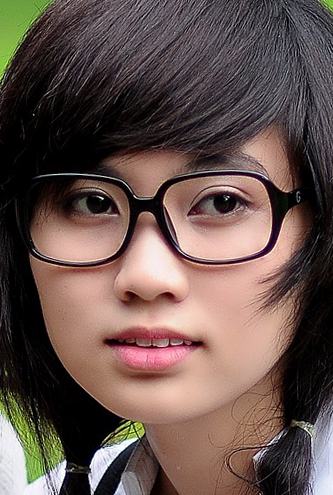
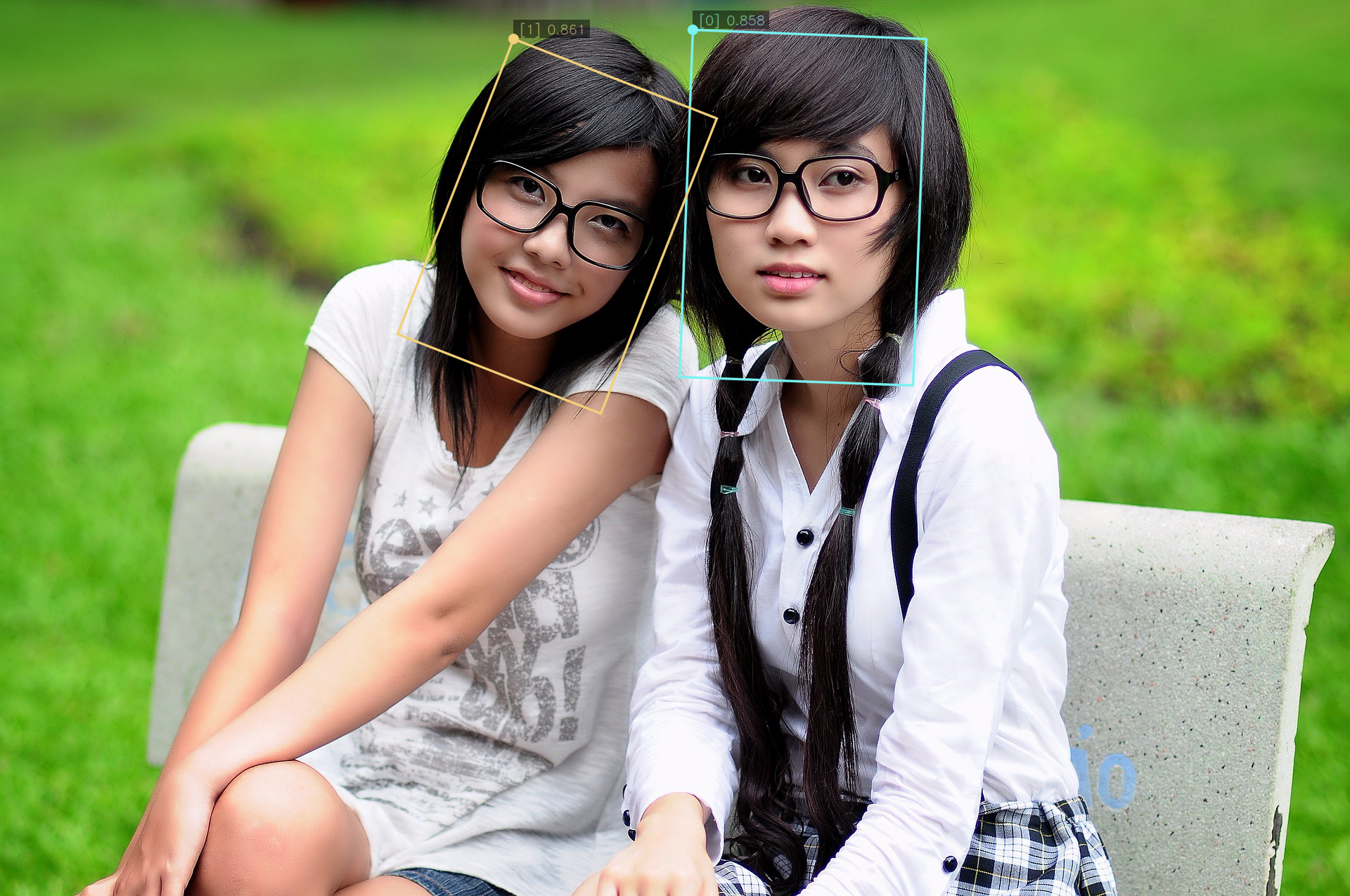
If the ARTIFACT_EXTRACTION_POLICY_CROPPING job property is set to true, then the bounding box in the detection object is used to define the cropping. Here is an example showing an image where two detections were found. The two detections in the frame are illustrated with the bounding boxes added by markup. (Refer to the Markup Guide for documentation on how markup is added to images and videos.) The cropped artifacts are also shown below. Notice that the detection on the left in the image is rotated, but the cropped artifact has had the rotation removed.
Image with Markup
Left Detection
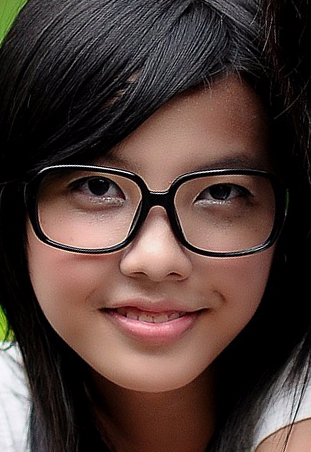
Right Detection